SMART-TEAM-DEV-PORTAL
Corporate portal
A web platform for centralised access to corporate applications, data, and services.
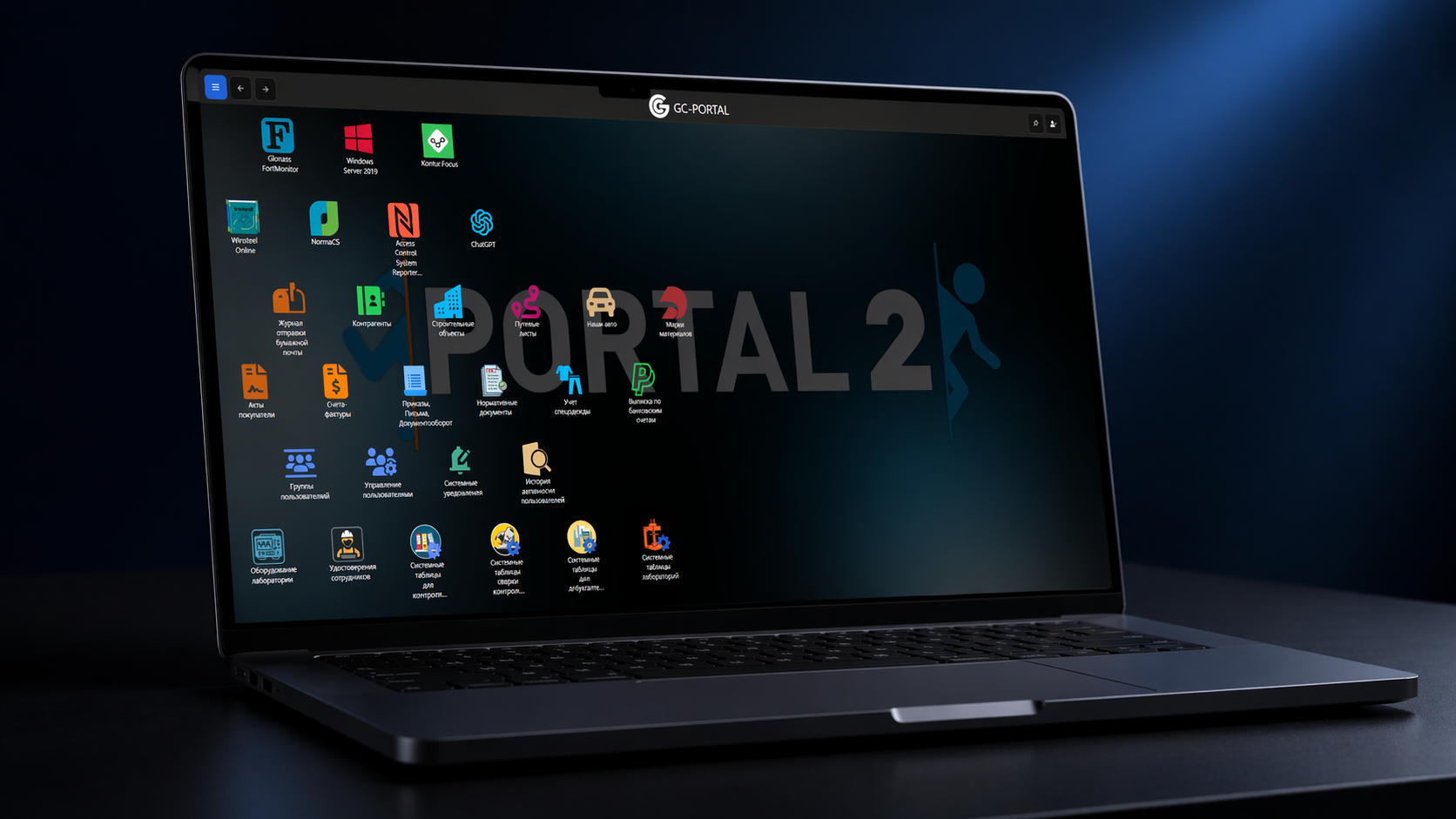
Platform
Node.js platform with modular architecture
Server: Node.js, frontend: React/Webpack. Each section is an independent module with its own business logic, routing and API. More than 30 applications in a single shell.
modular structure: each application is independent
role-based access control via AD groups
REST API for integrations with external systems
TypeScript typing, unified codebase
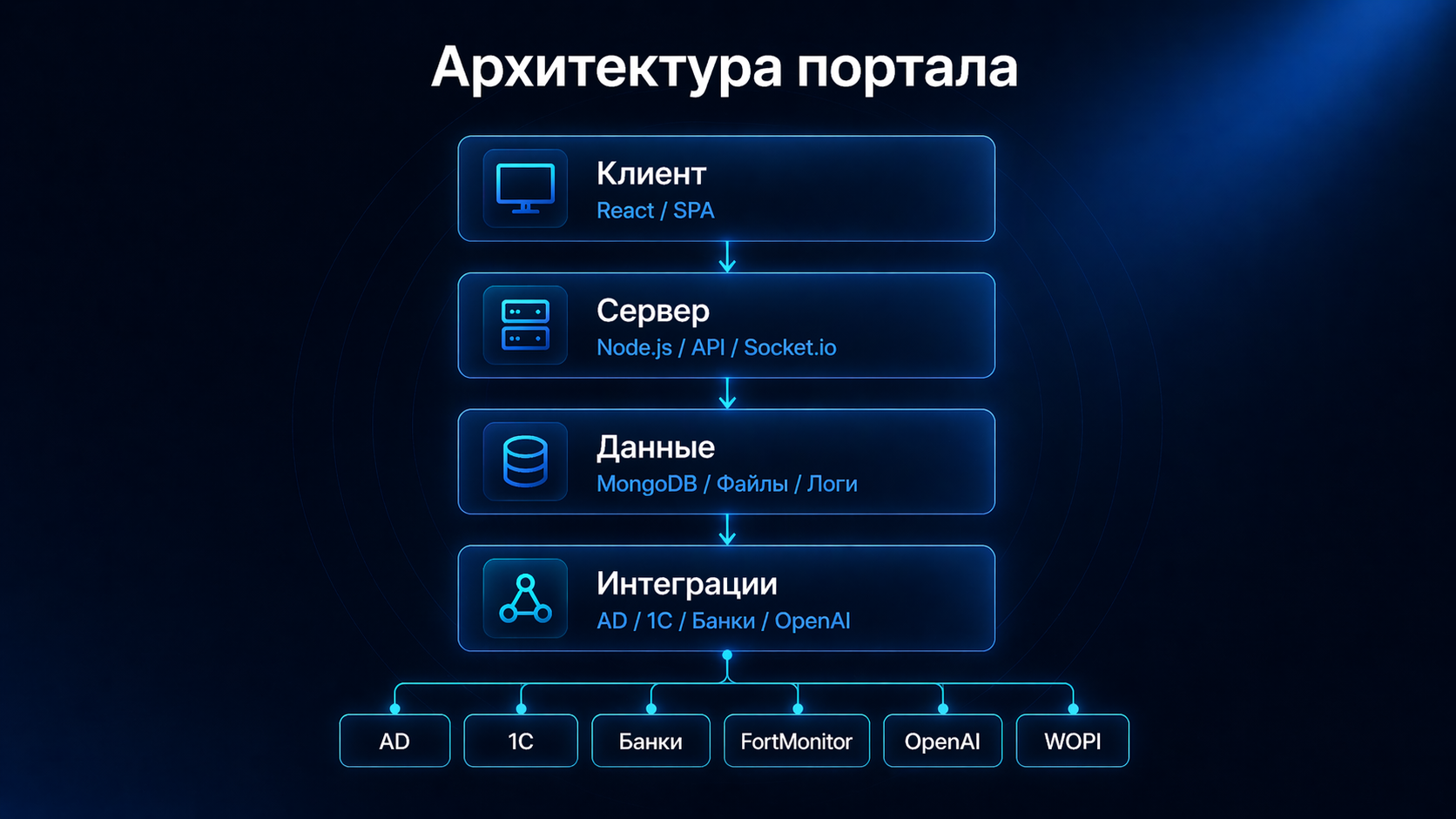
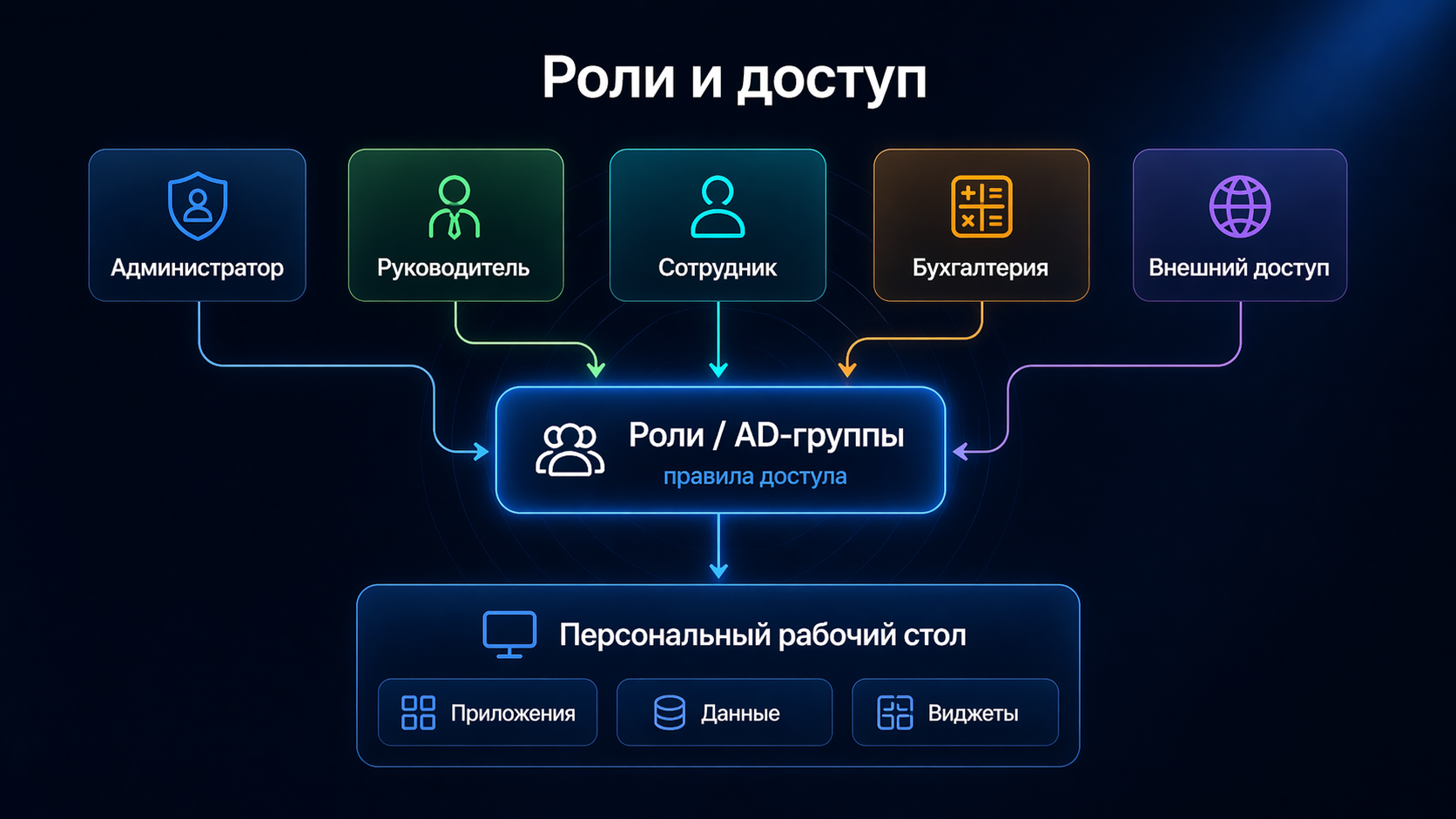
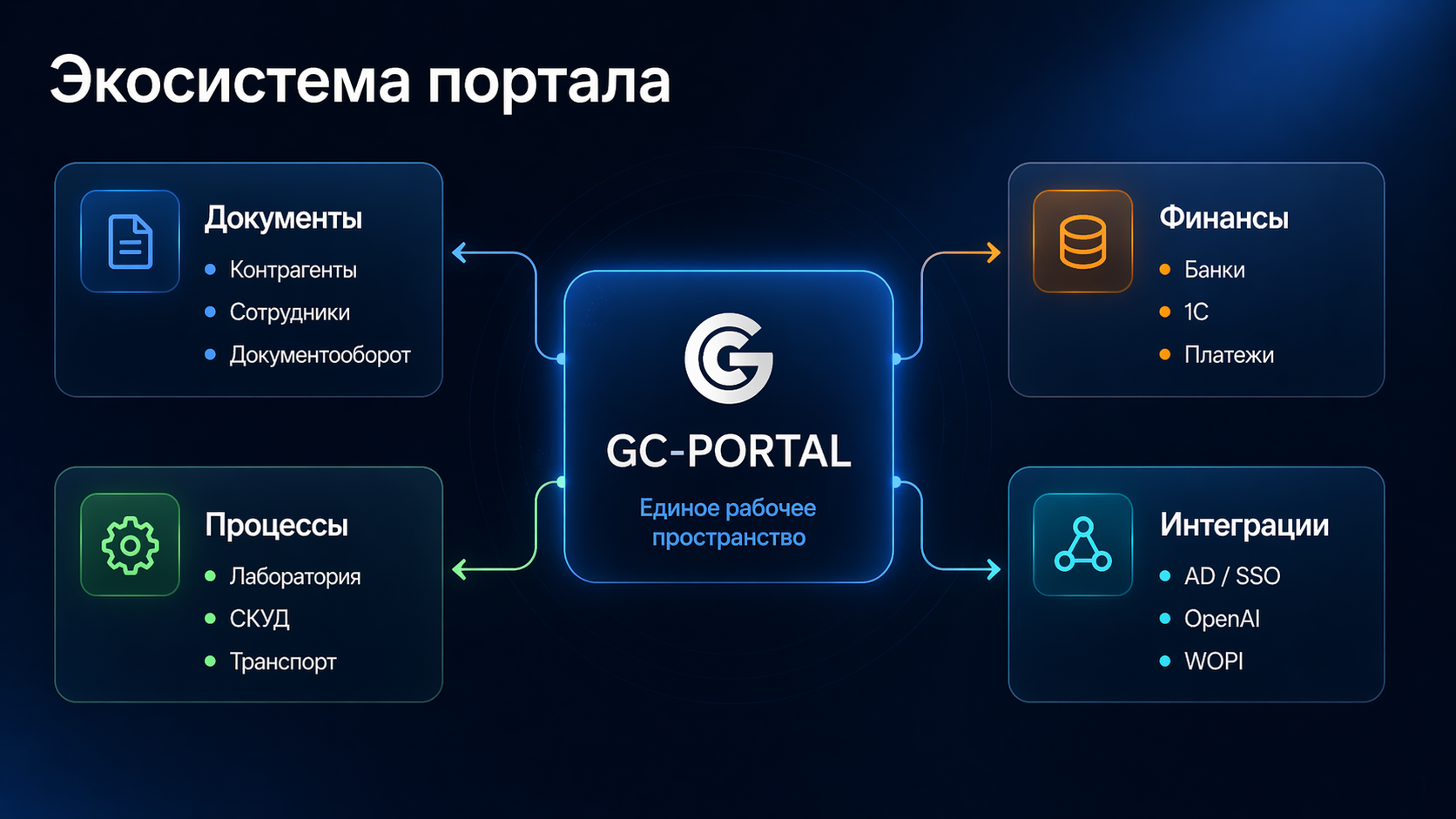
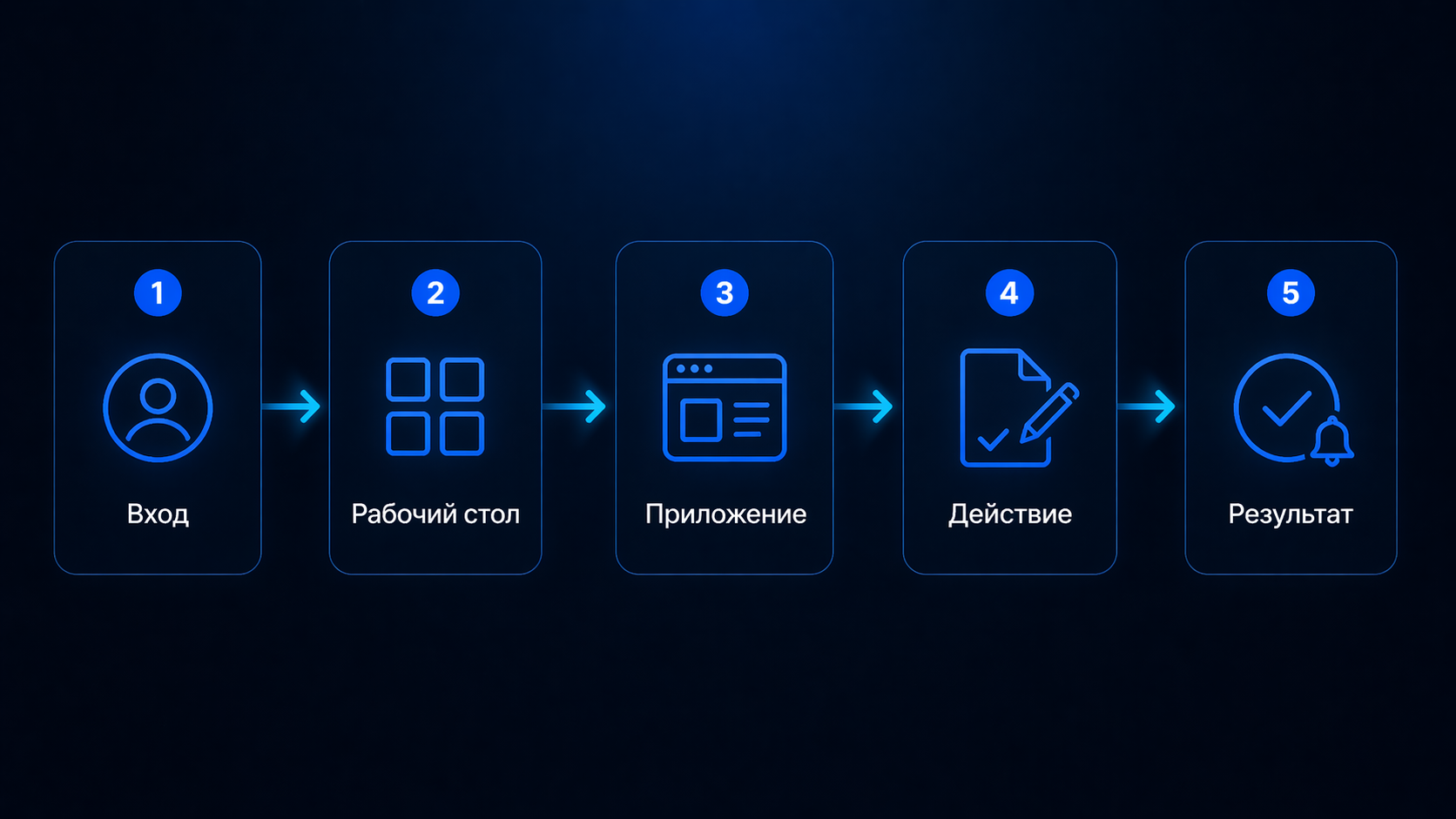
authentication
Login via AD or the built-in authentication system.
workspace
List of available modules, notifications, widgets.
module
Navigate to the required application via icon or direct link.
operation
Work with data: document, form, record, table.
result
Status, notification, report, file, or record in the system.
Workspace
Configurable start screen
personal set of icons and quick links
widgets with current data
adapted by role and department
minimum steps to reach the required function
Document workflow
Documents, records, and attachments
creating and editing documents
storing attachments in file storage
collaborative editing (Office Online)
links: document — counterparty — contract
Counterparties
Partner records with external verification
autofill of details by TIN (DaData API)
verification via Kontur.Focus database
notifications on status change
links with documents and banking operations
Finance and banking
Bank statements and 1C integration
connection to multiple bank APIs
automatic import and parsing of statements
matching payments with counterparties
data export in 1C format
Laboratory modules
Equipment, methods, and report tracking
standards and methods directories
equipment and technical group records
report templates (Word/Excel)
employee certificates and clearances
Access control
Integration with access control system
import of pass events from ACS
shift and lateness tracking
attendance and violation reports
links with HR data
Transport
Waybills and FortMonitor telemetry
vehicle and waybill records
routes and mileage control
telemetry from FortMonitor API
reconciliation of documents with actual movement
AI assistant
Built-in chat based on OpenAI API
connection to OpenAI Chat Completions API
analysis of uploaded files and documents
system log and event parsing
contextual search over corporate data

Security
Authentication, roles, and audit
Active Directory integration (LDAP)
role-based access management (RBAC)
audit log of all significant operations
data visibility restricted by role
Automation
Background tasks and cross-system integrations
background task scheduler (cron jobs)
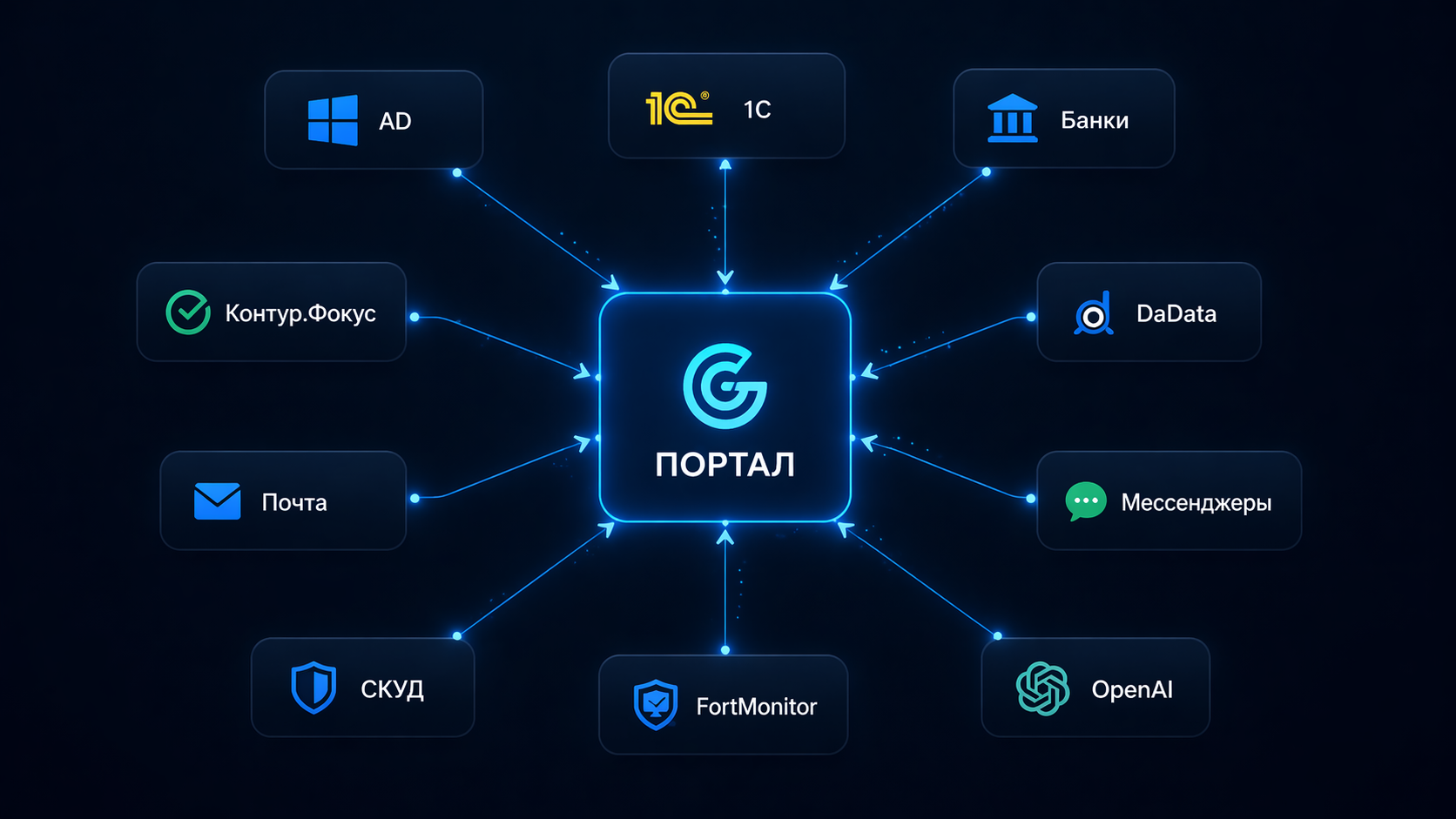
REST API and SOAP for external systems
notifications via email, Telegram, WhatsApp
automatic synchronisation with AD, 1C, banks
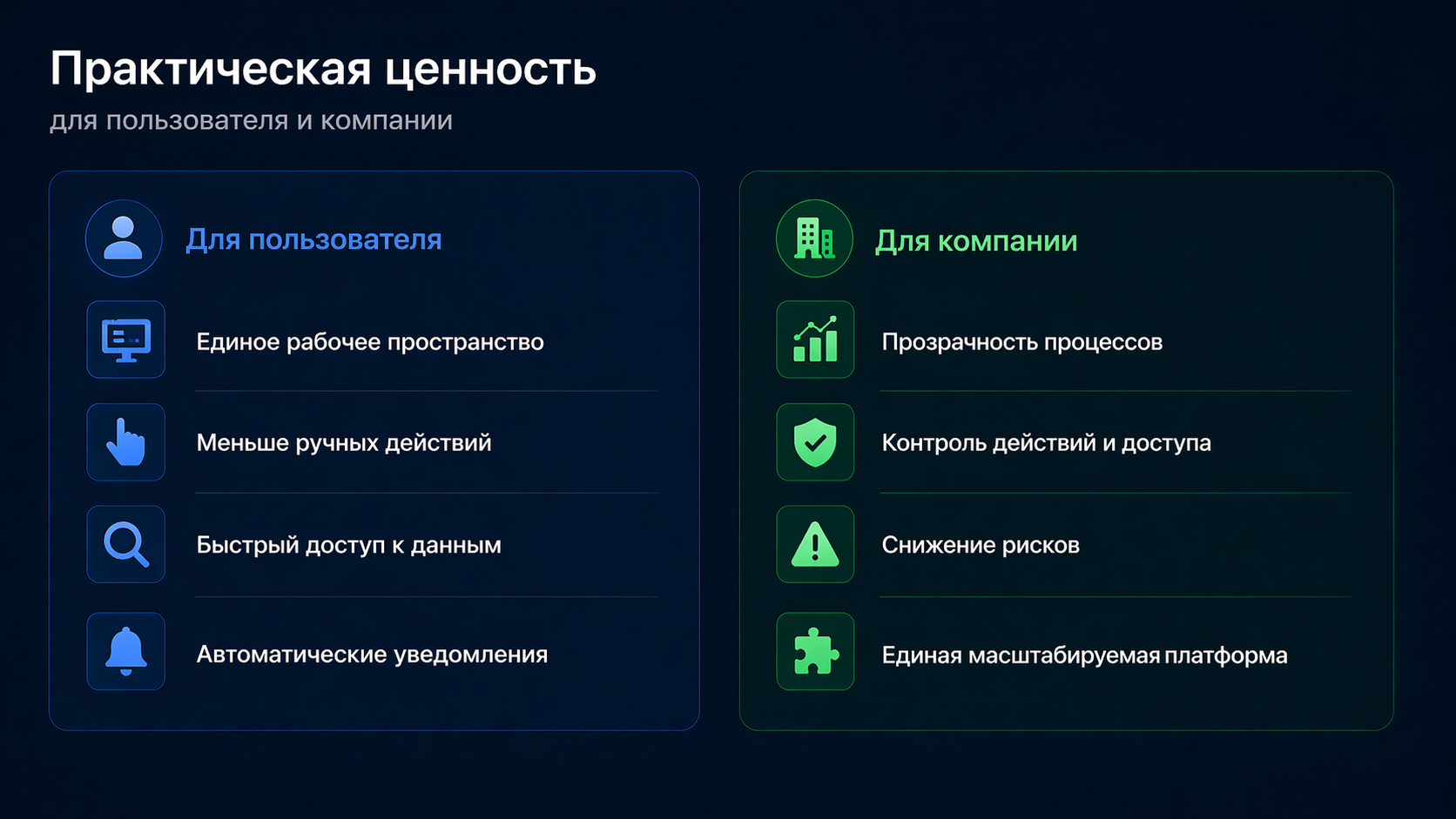
For users
- single interface instead of multiple separate systems
- fewer manual and repetitive operations
- fast access to the data you need
- real-time notifications and statuses
For IT and business
- centralised access management
- process transparency through auditing
- single codebase for all modules
- ready foundation for new applications
Platform
Scalable corporate system
More than 30 modules, 10+ integrations with external services, deployed on own infrastructure. The platform is ready for expansion without architectural changes.
unified interface for all departments
modular architecture without tight coupling
integrations: AD, 1C, banks, ACS, OpenAI
audit, logging, role-based access control
documented API for new integrations
